.png)
Scaling Filecoin Access: How FoxWallet Leverages Lava RPC
Tutorials/Guides
Lava Foundation

Apr 16, 2025


.png)
The following guide will help you bridge LAVA tokens to and from EVM chains like Arbitrum.
Always verify that you are interacting with the correct smart contract and LAVA token.
There are many fake tokens already claiming to be LAVA.
Note: while Lava is a Cosmos appchain, and the LAVA token follows the Cosmos standard, when bridged to EVM networks like Base or Arbitrum, you will need to interact with the LAVA ERC-20 version.
Always verify the ERC20 token you are interacting with has the token contract address:
0x11e969e9B3f89cB16D686a03Cd8508C9fC0361AF
Arbirtum explorer link:
https://arbiscan.io/token/0x11e969e9B3f89cB16D686a03Cd8508C9fC0361AF
Fake LAVA tokens:
For example, the following are all fake tokens on Uniswap and will appear on any DeFi app. You can see the token addresses under the token name are incorrect, although some scams are sophisticated and use contract addresses similar to the real LAVA address.
You always can copy and paste 0x11e969e9B3f89cB16D686a03Cd8508C9fC0361AF directly into any dapp to find the correct LAVA token:

Sometimes, you will have LAVA tokens, but your wallet will not show it. This is because you have not enabled the view in your wallet. Follow the steps below:
Step 1.
Connect Lava Mainnet to your Cosmos wallet (we suggest Keplr/Leap). You can use the following link from w3coins to do so - it will automatically open your Keplr wallet and suggest adding the correct LAVA token:
Step 2.
Ensure you can now see your LAVA tokens in your account.

The guide below will walk you through the process of bridging the Lava Minnet tokens to Arbitrum using the Squid Router app. Exact same steps would apply if you wanted to bridge Lava Mainnet tokens to Base.
Step 1.
Open the Squid Router app.
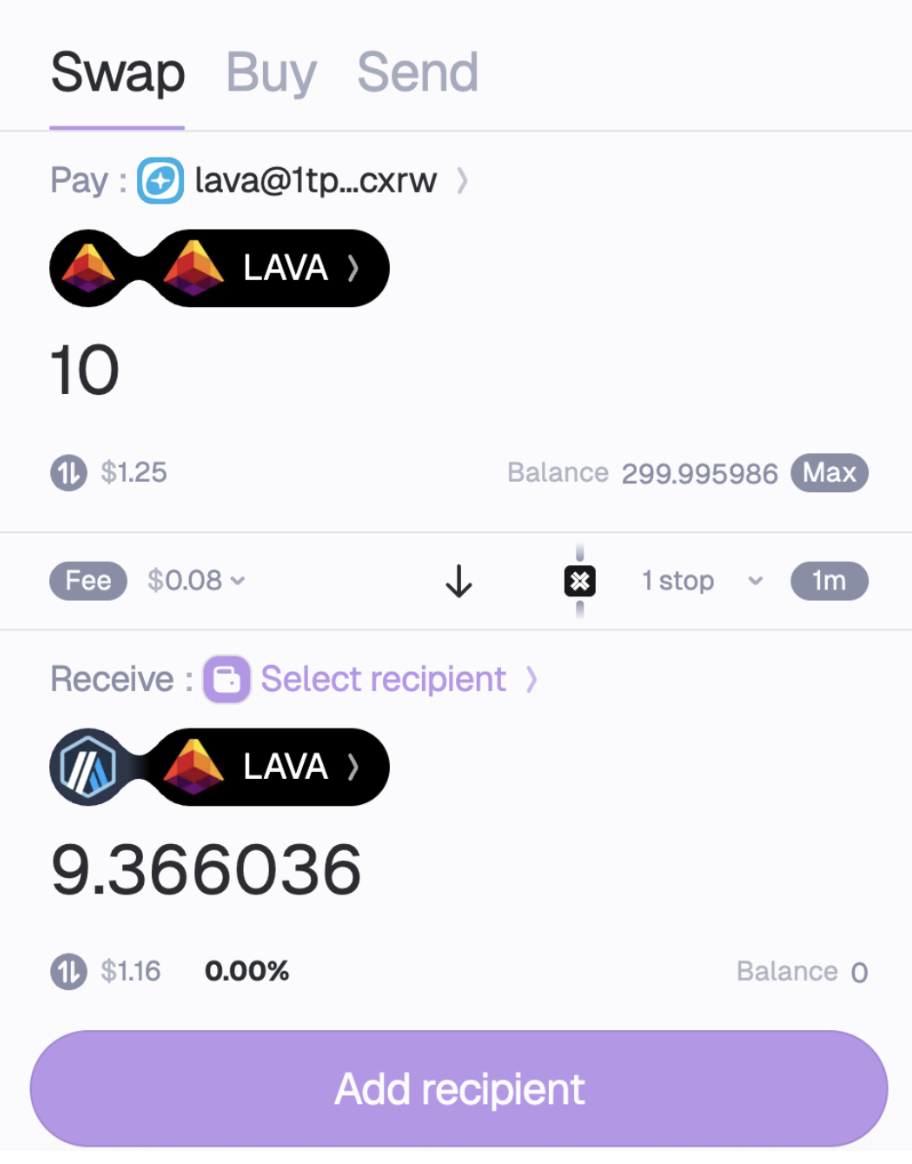
You will see this dashboard, showing you are about to Swap tokens by bridging the from Lava Network to Arbitrum:

Step 2.
Press the Connect wallet button in the Pay section, and connect your Cosmos wallet. Make sure your wallet supports Lava Mainnet by clicking approve when the pop up appears.
Step 3.
Validate that your balance is correct and set the amount you want to bridge to Arbitrum. In this example, we will bridge 10 of LAVA tokens from Lava to Arbitrum.
Step 4.
Next, go the “Receive” section and press on “Select Recipient” to add your EVM based wallet. In this example, we will use MetaMask.
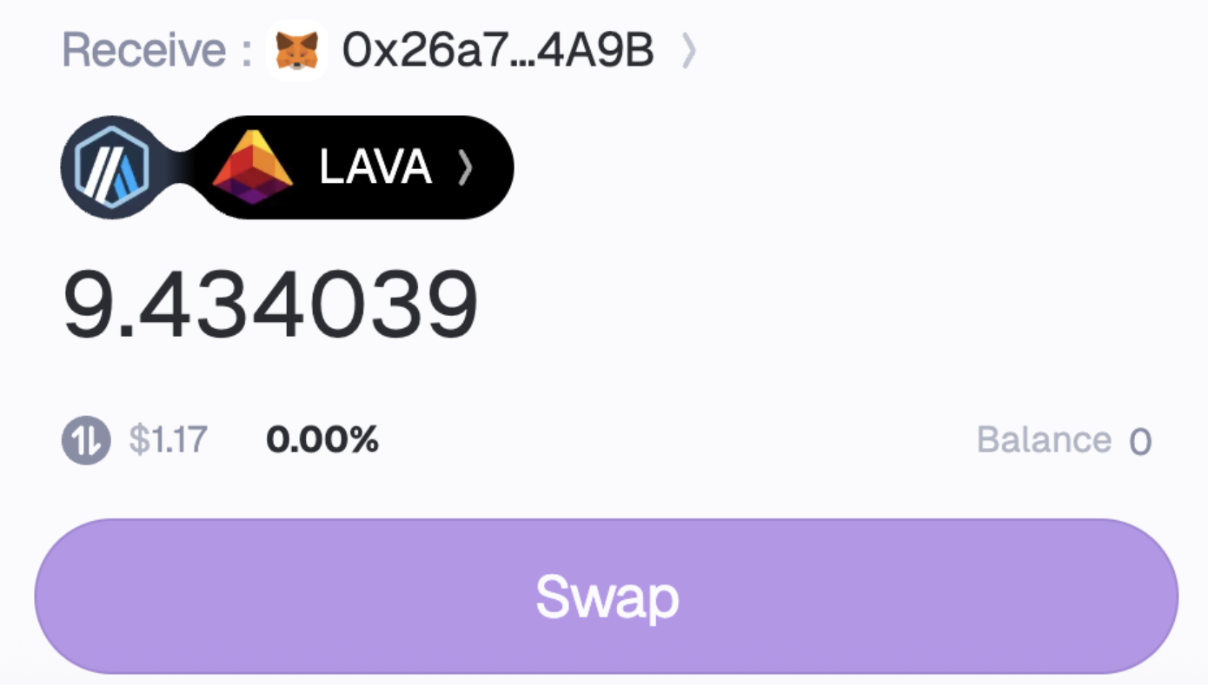
Confirm that you are going to receive the LAVA ERC-20 token as shown above. If you see a different token listed, or if you want to bridge LAVA to Base, you can always change it by clicking on it and selecting the target chain (e.g. Arbitrum or Base) and the token you want to receive (LAVA):

Step 5.
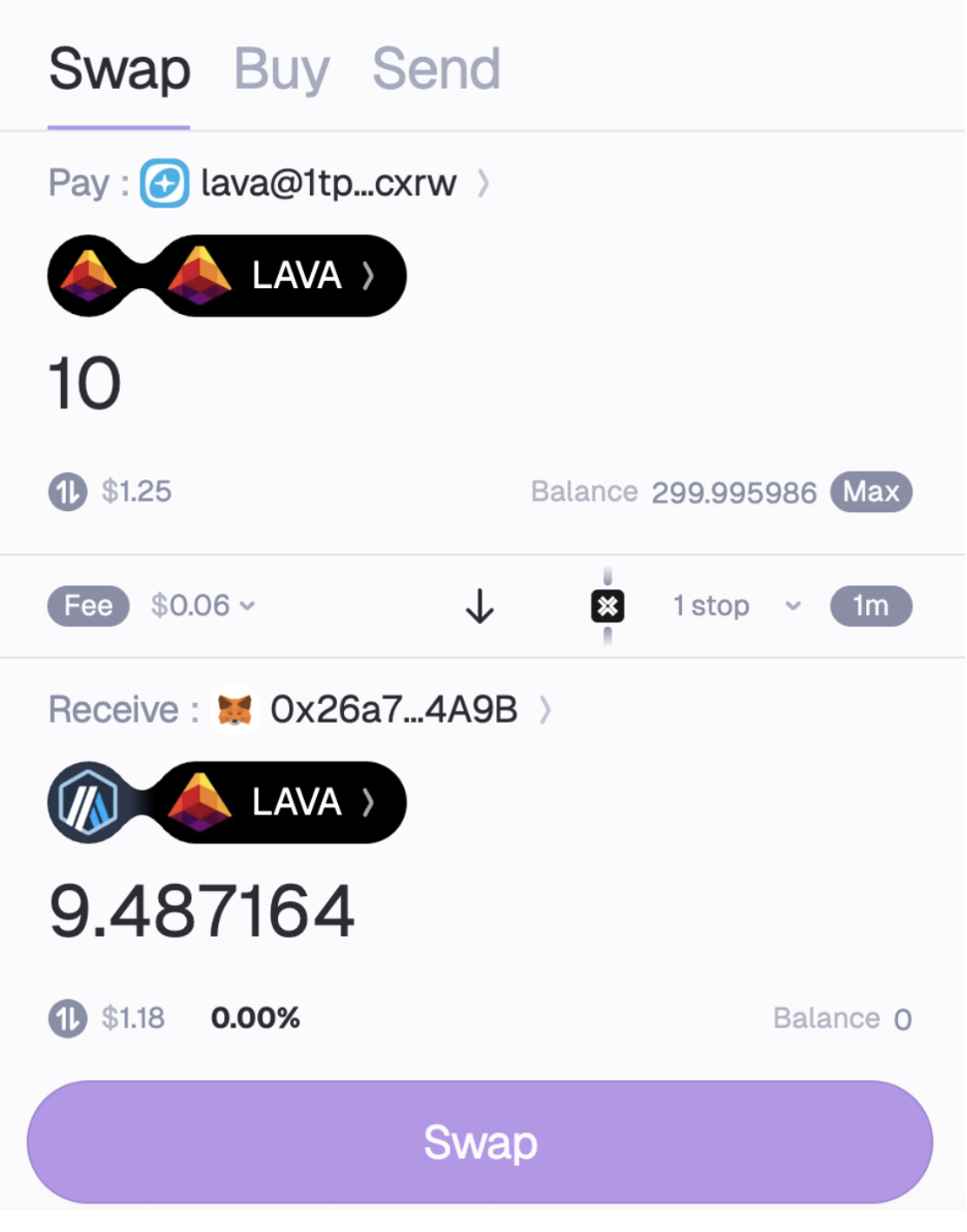
Once everything is set make sure everything is configured correctly and press Swap:
Step 6.
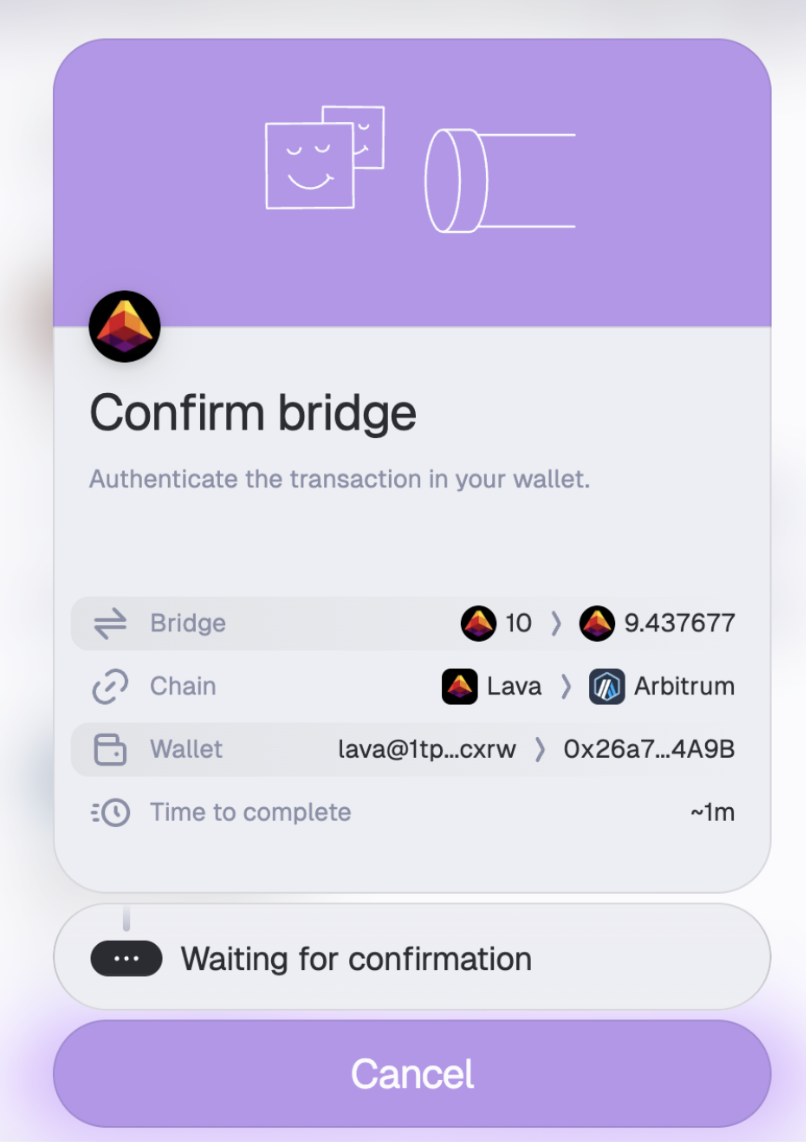
Check your Cosmos wallet to approve the transaction.
Step 7.
The process might take a few minutes to complete. Now check your EVM wallet to confirm that your funds have arrived - you should find LAVA tokens on a list of your owned tokens.
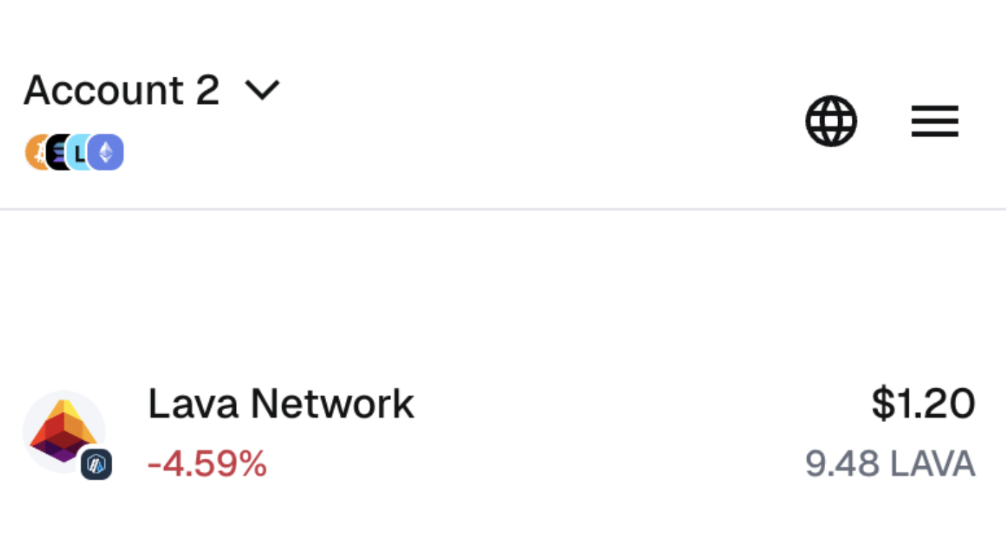
LAVA ERC-20 can be used on EVM networks such as Arbitrum or Base. This guide shows how to bridge from Lava blockchain to EVM networks like Arbitrum, using Squid Router.
Lava is the blockchain through which users and builders connect to all other blockchains. Lava coordinates a decentralized network of infrastructure providers to handle RPC and APIs requests across any network.
We invite RPC providers, dapp developers users, researchers and open-source contributors to play with Lava Mainnet.
Visit the website: lavanet.xyz
Read the docs: docs.lavanet.xyz
Meet the community: discord.gg/bKkEtU6AMQ
Follow our Twitter: twitter.com/lavanetxyz
Read our research papers: community.lavanet.xyz
Create and manage RPC endpoints: accounts.lavanet.xyz/register